Less Computing · More Scrolling
Make the pattern only you could make.
Every maker has a pattern in them. RipSaw helps you get it out.
…No art degree, no computer wrestling. Just your own idea, your own hands, and a pattern that could only have come from you. RipSaw ScrollForge helps scroll saw, fretwork, and sign-making artists see the problem before the wood hits the saw. Islands. Bridges. Cut lines. Sign text that converts to cut geometry. Print accuracy. The parts generic design software was never built to understand.
Windows 10/11
RipSaw ScrollForge is:
Not another drawing program.
It’s a craft-aware pattern maker.
There’s a reason no one ever built pattern software specifically for this community. It’s a small world. Quiet. Mostly sawdust and patience and wood that has its own opinions. RipSaw ScrollForge exists because that world deserved its own tool. Not a drawing program wearing a scroll saw hat. Something that understands blade width, fit, and what it actually means to send a pattern to the saw. It won’t cut for you. It won’t think for you. It just closes the gap between what you designed and what you cut.
Built Around Real Shop Problems
See the problem before you cut it.
Choose your blade, then design with tools that understand cut width, bridge strength, floating islands, and print scale. RipSaw keeps the physical realities visible while the design decisions stay yours.
Island Detection
RipSaw catches disconnected regions — across fretwork, sign text, and any combination — so you know exactly what needs a bridge before you ever sit down at the saw. The disconnected piece highlights in orange, nothing else, so the problem is unmistakable.
Bridge Placement
You place bridges, shape them with the node tool, and blend them into the pattern’s natural lines. The software watches the width so you stay above the safe minimum.
Cut Lines for Fretwork
The cut line tool draws narrow interior cuts sized from your blade selection. You place the line, shape it to follow the pattern’s natural flow, and what you draw is what the blade has room to cut.
Sign Making — Text That Cuts
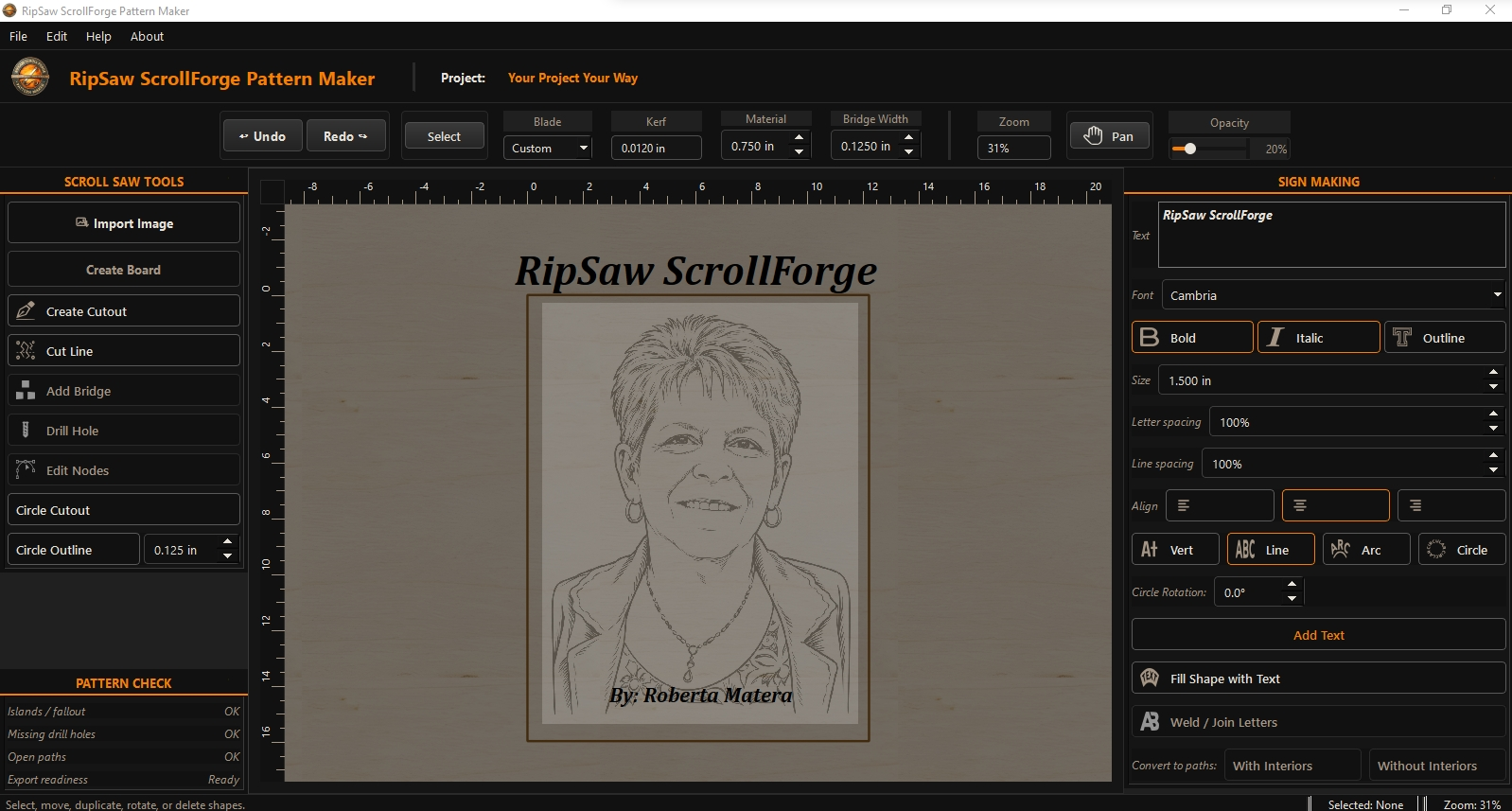
Type your sign text, size it in real inches, arc or circle it, fit it to a shape. Add scrollwork around it. When it’s right, convert to cut geometry. The letters become scroll saw cutouts — ready for island detection, bridges, and export.
Live Pattern Preview
See the pattern clean before you commit to cutting: no reference image, grid, canvas clutter, or editing handles. Updates as you work, so what you see is always current.
PDF Export Packets
Export a full-size cut template scaled to your finished dimensions — tiled across pages if the pattern runs large, with entry hole markers, bridges, and cut lines exactly as you drew them.
Scroll Saw + Fretwork
Keep the piece
connected.
Scroll saw work is not just about drawing a pretty line. A good pattern has to survive the cut. RipSaw focuses on the problems that matter most: floating islands, bridge placement, cut lines, and clean full-size print output. The software watches for disconnected wood and gives you room to make the craft decision yourself.
- Floating island detection before you cut
- Bridge placement and shaping controlled by the artist
- Cut lines sized to your blade selection
- Clean preview without construction clutter
- 1:1 printable pattern packet output
Sign Making
Signs, scrollwork, and
everything in between.
A lot of scrollers combine lettering with decorative designs. RipSaw’s sign making tools are built inside the scroll saw workshop so they work with everything else on the canvas. Place text, size it in real inches, arc or circle it, fit it to a shape. When it’s ready, convert to cut geometry. Island detection and pattern check run on the whole design — text and scrollwork together.
- Text sized in real inches, not font points
- Straight, arc, and circle layout modes
- Fit text inside any shape on the canvas
- Weld overlapping letters for script fonts
- Convert to cut paths — letters become scroll saw cutouts
- Island detection works across text and scrollwork
RipSaw handles the physics.
Less Computing · More Scrolling
You handle the art.
RipSaw ScrollForge
Now available. One price. No subscription.
RipSaw ScrollForge is built from scratch for scroll saw, fretwork, and sign-making artists. Island detection, bridge placement, sign text that converts to cut geometry, and a print-ready PDF at 1:1 scale. $99 one-time — everything included, every update forever.
- Look it over
Read how RipSaw handles islands, bridges, cut lines, sign making, preview, and PDF output. - Purchase once
$99 one-time via PayPal. No subscription, no upgrade fees. - Download and get to work
You’ll receive a download link by email within a few hours. Windows 10/11.